
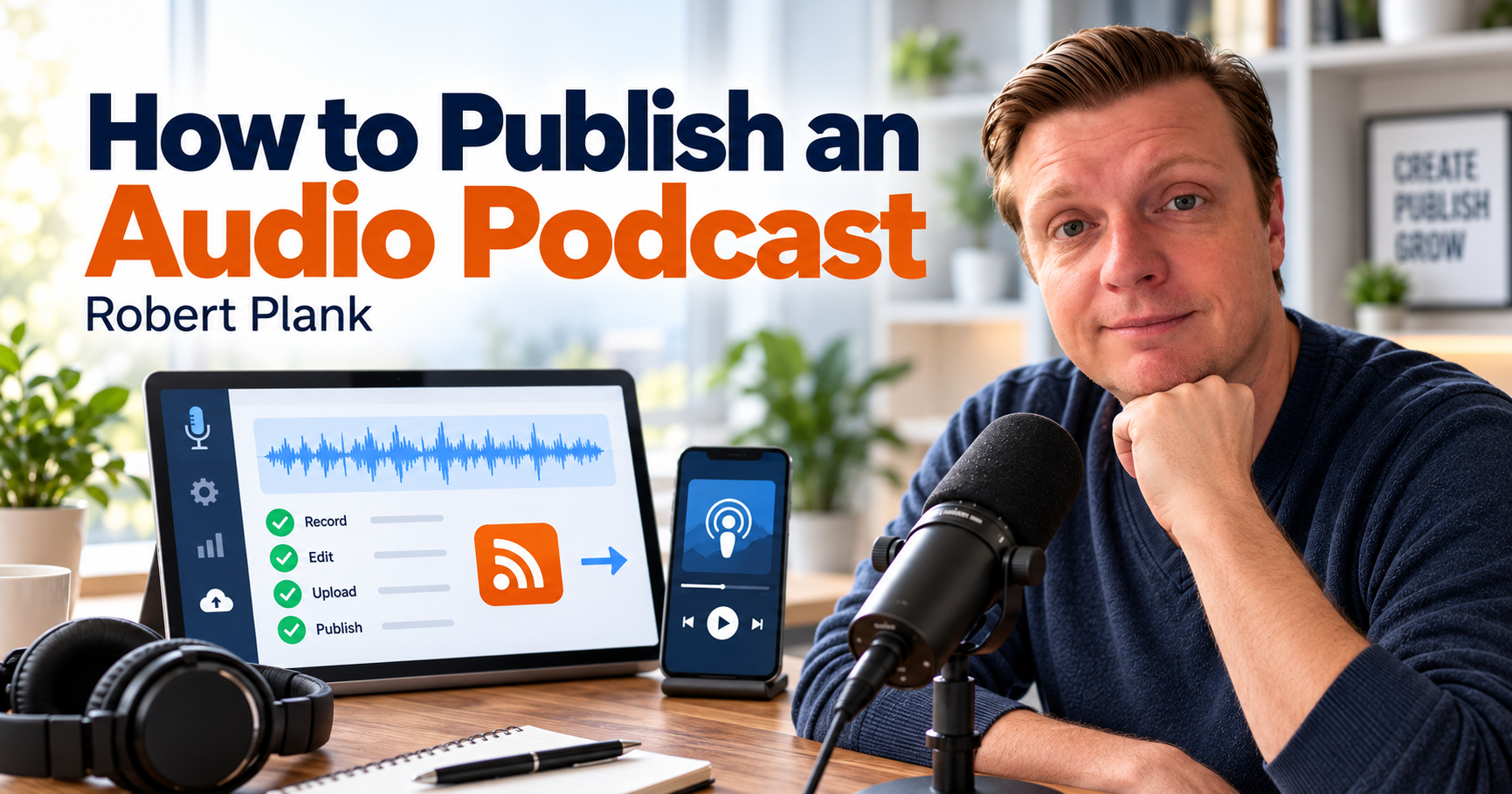
How to Publish an Audio Podcast: A Practical Workflow
Publishing an audio podcast involves more than exporting an MP3. Prepare and approve the recording, attach accurate episode information, publish through a podcast host, and check the actual listening destinations.
Audio Podcast Publishing Checklist
- Collect the complete original recording, separate speaker tracks when available, guest details, and timestamped editing notes.
- Edit the conversation without changing the speakers' meaning or removing important qualifications.
- Balance the speakers, finish the sound, and review the opening, transitions, and ending.
- Export an approved audio file that meets your host's and listening platforms' requirements.
- Prepare the episode title, description, artwork, and resource links.
- Publish through your podcast host and establish any first-time platform connections.
- Check that the episode appears and plays on the intended platforms, then save its public links.
Your Video Interview Is Finished. Is the Audio Podcast Ready?
You finished a useful video interview, but someone who wants to hear it on the drive to work can't find it in their podcast app. The conversation is recorded, your guest shared some good advice, and maybe you've already uploaded the video to YouTube. Now you'd like that same interview to appear on Apple Podcasts and Spotify so people can listen without watching a screen.
If you're wondering how to publish an audio podcast from interviews you're already recording, you probably don't need to start over. You can use the sound from your existing video. There are a few production steps between having a recording and having an episode that's comfortable to listen to, easy to find, and ready for people to follow.
I've talked about this approach in my video on recording a talk show. Around 7:39, I explain how you can extract audio from a video recording and use it for a podcast. You're recording one conversation for people who watch and people who listen. That makes more sense than scheduling a separate audio interview with the same guest just because you want to publish somewhere else.
There are some differences in how those audiences experience the conversation, though. Someone watching your YouTube video can see your guest pointing at a chart, demonstrating something on a computer, or holding up a product. Someone listening through headphones doesn't have that information. If the guest says, "You can see the difference right here," your audio listener might have no idea what they're talking about.
The sound itself deserves attention, too. Maybe your guest was quieter than you, someone bumped a microphone, or your recording software captured both voices on one track. In my Riverside recording tutorial, around 3:34, I demonstrate a recording setup with individual tracks. Having separate tracks gives an editor additional control over each speaker, although you can still produce a podcast when everything was recorded together.
There's also the publishing work. A podcast hosting service stores your audio and provides an RSS feed that listening apps use to discover your episodes. Your episode needs an accurate title, description, artwork, and the appropriate distribution connections. Somebody needs to check that the finished recording actually appears and plays where you intended.
I prefer having my podcast production team handle most of that work. As the host, you should understand enough to provide the right materials, make editorial decisions, and approve the result. You shouldn't have to become an audio engineer or spend your afternoon figuring out why a podcast directory hasn't updated.
It starts with making sure the recording you hand over is complete and gives the editor something useful to work with.
Start With the Complete Recording
Before anyone starts editing your podcast, make sure you have the complete recording. That sounds obvious, but there's a difference between having a video file you can watch and having all the original material an editor might need to produce the audio version.
For example, if you record an interview using Riverside, you may have a combined recording along with separate files for each speaker. Those individual tracks can be especially useful when one person has a microphone problem, speaks more quietly, or has background noise that doesn't affect the other person.
Imagine your guest has a dog barking in the background while you're explaining something important. With separate tracks, an editor may be able to reduce the noise on your guest's recording without affecting your voice. If both speakers are combined into a single audio file, there's less flexibility. You can still edit the conversation, but some problems become harder to isolate.
Make sure the files have finished uploading before handing them over. Some recording services continue processing or uploading individual tracks after you end the session. Downloading whatever is available immediately might leave you with incomplete files when better recordings are still being prepared.
I also recommend keeping the original recordings after the episode is finished. If you discover a mistake later, want to create a shorter clip, or decide to reuse part of the interview for something else, having the original gives you options that a heavily edited file might not.
The next thing your editor needs is some direction about the conversation itself. Did the guest mention something confidential? Was there a factual mistake that needs correcting? Did someone lose their connection halfway through an answer?
You don't need an elaborate production document. A note like "At 18:42, remove the discussion about the client's pricing" tells the editor what to do. "Please clean this up" leaves them guessing.
This is also when I'd look for anything that only makes sense because the original interview was recorded on video.
Suppose you're a roofer interviewing a landscaper about drainage around a house. Your guest points to a drawing and says, "The water comes down here, runs across this section, and collects over there."
That explanation might be perfectly clear on YouTube. For someone listening to the audio, it's almost useless.
You could record a brief clarification explaining that water flows off the roof, crosses the patio, and collects near the foundation. If the drawing is particularly important, you could also direct listeners to the episode page where they can see it.
The goal is to give listeners enough information to follow the explanation without describing every visual detail. You don't need to interrupt a perfectly good story to explain where someone was sitting or what their hands were doing.
If the conversation makes sense without the picture, leave it alone.
For a closer look at that adaptation, read how to turn a video interview into an audio podcast that listeners can follow without watching the screen.
This is one reason I wouldn't automatically treat every video interview as a finished audio episode the moment you extract the sound. Most of the conversation may already work beautifully, but a handful of references can make the audio version confusing.
Sometimes the best solution is a short recorded clarification. Other times, the host and guest may have already explained enough elsewhere in the conversation that a small edit can solve the problem. The editor should work with what's actually in the recording rather than inventing an explanation.
By the time editing begins, the team should have the source files, any separate speaker tracks, and notes about what needs attention. That gives them enough information to decide what to remove, what to preserve, and what may need clarification before the episode can be finished.
Edit the Conversation Without Losing Its Meaning
One of the decisions an audio editor has to make is whether to remove a hesitation, leave a pause alone, or cut out a sentence that seems unnecessary. Sometimes the answer is obvious. Your guest starts explaining something, gets interrupted by a notification, and begins again. You probably don't need both attempts. Other times, removing a few words can change what the guest actually meant.
I prefer editing that makes a conversation easier to follow without making everybody sound like they memorized a script. You can remove the recording setup, microphone checks, repeated false starts, distracting interruptions, and unusually long silences.
If you spent three minutes figuring out whether your guest could hear you, nobody needs to sit through that before the interview begins.
But not every pause is a problem, and not every filler word needs to disappear. Someone might say "um" five times while trying to begin an answer. Cleaning that up can make the explanation easier to understand. On the other hand, if a guest pauses before answering a difficult question, that hesitation might be part of what makes the response interesting.
Removing every breath and gap can make two people sound as though they're talking over each other, even when the original conversation was relaxed.
Automated editing tools can help identify filler words, silence, and repeated phrases. They're useful for finding material worth reviewing, but I wouldn't let software make every editorial decision without checking the result.
Pay particular attention to numbers, names, negative statements, and qualifications.
Imagine a business consultant saying, "I wouldn't recommend hiring another salesperson until you've fixed your follow-up process."
If an edit accidentally removes "wouldn't," or cuts off the condition about fixing follow-up, the finished episode could communicate very different advice.
The same thing can happen with a guest discussing a medical procedure, financial decision, or legal issue. A sentence that originally included "in certain circumstances" shouldn't become an unconditional recommendation because the shorter version sounds punchier.
I want the edited conversation to be easier to understand while remaining faithful to what the speakers actually said. If a guest qualifies their advice, that qualification matters. If they make a joke that helps explain their personality or a business situation, there may be a good reason to keep it.
Once the conversation is cleaned up, the audio episode needs a recognizable beginning.
A short introduction can identify the podcast, tell listeners who's hosting, and explain why this particular conversation is worth hearing. You don't need two minutes of dramatic music and a biography before getting to the guest.
You can maintain a consistent branded introduction across episodes while changing a sentence or two to introduce the current topic. That gives the podcast a familiar opening without making every episode sound identical.
If you're using music, make sure you have permission to use it and that it doesn't compete with the spoken words. Listen to the transition into the interview, too. A reusable intro that ends abruptly or cuts into the guest's first sentence can make an otherwise good edit feel unfinished.
The ending deserves similar attention.
You might invite listeners to visit a resource mentioned during the interview, subscribe to the podcast, or visit your website to discuss a service. Choose one next step that fits the conversation.
Reciting five different websites and three social media accounts gives listeners too much to remember, especially when they're doing something else.
If you're directing someone to a website, use an address that's easy to say out loud. Longer links can go in the episode description, where listeners can open them later.
When I review an edited conversation, I'm listening for whether the speakers still sound like themselves and whether their explanations remain accurate. A little repetition or an occasional breath is usually less distracting than an edit that sounds unnatural or changes the meaning.
A good editor knows when to make a cut and when to leave the speaker alone. You want your audience to hear a conversation, including the natural moments that make it worth listening to.
Make the Audio Comfortable to Hear
Imagine you're listening to an interview. The host sounds perfectly normal, but the guest is so quiet that you turn up the volume to hear the answer. Then the host asks another question, and suddenly you're reaching for the volume control again.
That's a problem worth fixing before the episode gets published. Even when the conversation is interesting and the editing is good, inconsistent sound can make it frustrating to listen to.
Audio finishing deals with the way the recording sounds after the editorial decisions have been made. The conversation may contain exactly the right material, but listeners still need to hear both speakers comfortably, without sudden changes in volume or distracting background noise.
One of the first things to check is the balance between speakers.
Maybe you're recording with a decent microphone, but your guest is using a laptop microphone across the room. Your voice might sound full and clear while theirs sounds distant. An audio editor can adjust levels and apply processing to make the difference less distracting, although the original recording still limits what can be repaired.
Background noise is another consideration.
Air conditioning, keyboard typing, traffic, and microphone bumps can all find their way into a recording. Some of that noise can be reduced or removed. The trick is knowing how far to go.
More noise reduction doesn't automatically mean better audio. If you process a voice too aggressively, it can start sounding metallic, muffled, or strangely artificial. I'd rather hear a natural voice with a little harmless room noise than one that's been cleaned so thoroughly that the person no longer sounds like themselves.
Distortion is a different problem.
If someone shouted into a microphone and the recording clipped badly, simply lowering the volume afterward won't restore everything that was lost. Some repair tools may help, but a severely distorted recording might need a replacement passage or another solution.
That's something the production team should flag rather than quietly deliver as though nothing happened.
Transitions also matter. Listen for sudden changes in volume when the introduction ends, when music fades out, or when two edited sections join together. A guest's answer shouldn't suddenly sound louder because it came from a different recording segment.
There's also the question of how to prepare the finished audio file.
Your podcast hosting service and the listening platforms you're using have supported formats and technical requirements. Apple Podcasts publishes official audio requirements, including guidance for audio files, compression, and sound levels.
You don't need to memorize loudness measurements, sample rates, or every export setting to run a business podcast. Those details belong in a production checklist, where someone can apply them consistently and update them when necessary.
What I do recommend is actually listening to the finished audio before approving it.
Check the opening, several places throughout the conversation, the transitions, and the ending. Try headphones, then listen to part of the episode through a phone speaker. You may notice a quiet guest, an awkward edit, or music that's competing with the introduction.
If you're reviewing a recording that had a known problem, listen to that passage specifically. Don't assume that applying an audio effect means the problem has been solved.
You don't necessarily need to listen to every second of every episode yourself if you've assigned that responsibility to a production team you trust. Someone, however, needs to be responsible for the final listening check.
I also think it's reasonable for the production team to tell the host when a recording has a problem that can't be fully repaired. Maybe a guest's microphone kept cutting out, or an important explanation was interrupted by a bad connection. It's better to identify that issue before publication than to pretend every recording can be made perfect.
Once the audio has been edited, finished, and approved, the next job is getting that file into the podcast publishing system with the correct information attached.
Publish Through a Podcast Host and Check the Listening Apps
You've finished editing the interview, balanced the sound, added your introduction, and exported the audio file. Now you need somewhere to publish it so listeners can find the episode in Apple Podcasts, Spotify, and the other podcast apps you want to support.
This is where your podcast hosting service comes in.
A podcast host stores your finished audio files and provides the information that listening platforms use to display your show. Your business website might have a page for every episode, but it doesn't necessarily need to store the audio or handle podcast distribution itself.
The connection between your hosting service and podcast apps is called an RSS feed.
Think of it as a regularly updated record of your podcast. It contains information about the show and its episodes, including titles, descriptions, artwork, and the locations of the audio files.
When you publish a new episode through your hosting service, the feed gets updated. Podcast apps already connected to that feed can discover the new episode and make it available to listeners.
You generally don't need to upload the same audio file manually to every podcast app each time you release an episode.
Apple explains this relationship in its official guide to finding a podcast hosting solution. A hosting provider can create and manage your RSS feed, help investigate technical issues, and provide tools for publishing.
Before releasing the episode, I want the information attached to it checked just as carefully as the audio.
That includes the show's name, episode title, guest's name, description, artwork, language, content settings, and any links mentioned during the conversation.
If your guest's name is misspelled in the episode title, that's something to correct before publication. If you promised listeners a downloadable resource, make sure the link actually goes somewhere useful.
The episode title should tell listeners what they're getting. You don't need to stuff it with keywords or make outrageous promises. Give someone enough information to recognize the subject and decide whether they want to listen.
The episode description can provide more detail, introduce the guest, and include relevant websites or resources. I wouldn't automatically copy the exact same promotional paragraph into every field. Each piece of information has a job.
There's also an important distinction between connecting your podcast to a listening platform for the first time and publishing future episodes.
If you're launching a new show, someone may need to submit or claim it through the appropriate platform process. Getting your podcast hosted doesn't guarantee that every directory has already accepted and listed it.
The exact steps depend on your hosting provider and the listening service.
Spotify explains this in its distribution guidance. For example, a podcast hosted with Spotify is available there, but reaching other platforms such as Apple Podcasts requires additional submission. Some hosting services provide tools to help with this process.
Once those connections are established, future episodes will generally appear through the existing RSS feed. There can still be processing delays, and different apps may update at different times.
I wouldn't promise a client that an episode will appear everywhere immediately after clicking Publish.
This is where publishing verification becomes important.
After publication, someone should open the actual episode in the listening apps included in the agreed workflow. Check that the title and artwork are correct, press Play, listen briefly, and confirm that the description and important links are present.
If the podcast is supposed to appear on Apple Podcasts and Spotify, check those destinations. If additional platforms are part of the arrangement, check those too.
Keep a record of the public episode URLs. They give you reliable destinations to share in emails, on your website, and with your guest.
The hosting account itself also needs a clear owner. Make sure you know who controls the account, who has publishing permission, and who can make corrections when necessary.
If you discover a mistake after release, your production team should follow the hosting provider's correction procedure. Where appropriate, preserve the existing episode identity rather than accidentally creating a duplicate. Then check that the corrected version reaches the intended listening platforms.
I don't consider the publishing job finished simply because the hosting dashboard says the upload succeeded.
I want to know that someone can open the podcast app, find the right interview, and hear the episode we intended to release.
Give Your Production Team a Handoff They Can Repeat
You've finished recording a 30-minute interview. The guest has signed off, you've stopped the recording, and you've got another meeting coming up in 15 minutes. Ideally, you should be able to send the recording to your production team with a few notes and get on with your day.
That's the way I prefer to handle podcast production.
In my talk-show video, around 10:22, I discuss having my team handle production work so I can concentrate on the conversation. I want to spend my attention asking good questions, following up on interesting answers, and getting something useful out of the guest.
Of course, your production team still needs the right information from you.
If they have to chase you down for the guest's name, ask whether a certain passage should be removed, or guess which website you wanted mentioned at the end, the process gets unnecessarily complicated.
I recommend putting together a simple handoff that you can use after every recording. It doesn't have to be an elaborate project management system. A shared folder, a standard set of instructions, and a clear approval process can cover most of what happens repeatedly.
Here's what I'd include:
- Recording files: The complete interview, including separate speaker tracks when available.
- Guest details: Correct name, title, business, and any relevant information needed for the introduction or episode description.
- Editing notes: Timestamps for factual corrections, confidential material, missing audio, or sections that need special attention.
- Episode resources: Websites, downloadable materials, and the specific next step you want listeners to take.
- Approval instructions: Who reviews the finished episode, who can authorize publication, and when the release is expected.
For example, suppose you record an interview on Tuesday and want it published on Friday.
Your editor needs enough time to prepare the audio, your team needs to finish the episode information, and somebody needs to approve the result before it goes live. If you're responsible for approval but don't review the file until Friday afternoon, the team may not be able to meet the planned release.
You can avoid a lot of confusion by deciding in advance who owns each stage.
One person edits the recording, another might prepare the episode description and artwork, and someone with publishing access uploads the approved file. Depending on your operation, one team member might handle several of those tasks.
Approval and publishing authority should be explicit.
If a guest requests a correction or the editor finds a potentially sensitive passage, the team should know who makes that decision. An editor can identify a problem without being expected to decide whether a guest's statement is legally appropriate or factually correct.
I also like keeping one approved audio master for each episode.
That way, the file being published is the same one that passed review. You don't want several versions floating around with names like final, final2, and final-really-this-time, leaving somebody to guess which one belongs in the podcast feed.
After publication, record the episode's public links and whether playback was checked on the intended platforms. This gives you a reliable reference if you want to share the interview with your email list, send it to the guest, or revisit it later.
Over time, pay attention to recurring problems.
If guests consistently have quiet microphones, improve the recording instructions you send before interviews. If your team repeatedly asks for the same missing information, add it to the handoff.
Maybe you discover that your introduction requires too many revisions because the guest information isn't collected properly. Or your episodes are ready on time, but nobody remembers to check their public listings. Those are specific issues that can be addressed in the routine.
There will always be occasional exceptions. A guest might request a correction, an audio file might be damaged, or a podcast platform might take longer than expected to display an episode.
Having a repeatable process gives the team a way to recognize those exceptions and handle them without reinventing everything.
For me, the division of work is straightforward. I want the host concentrating on having a useful conversation, while the production team takes care of editing, finishing, publishing, and checking the episode.
That doesn't mean the host never makes a decision. It means those decisions arrive at the right time, with enough information to make them.
When you finish your next interview, you should be able to hand over the recording, flag anything that needs attention, and know who's responsible for getting that conversation to your listeners.
Let the Conversation Be Your Part of the Job
Think about the last interview you recorded. Maybe your guest explained how they solved a difficult business problem, shared an unexpected lesson, or told a story you hadn't heard before. You spent your time preparing questions, listening to the answers, and following the conversation wherever it became interesting.
That's the part of podcasting I want to spend my time doing.
I don't want to finish an interview and immediately start worrying about audio levels, file formats, RSS feeds, or whether Spotify has picked up the latest episode. Those jobs matter, and somebody needs to do them correctly. I prefer having a production process where my team handles that work while I concentrate on the conversation.
You should still know what happens after you stop recording. You need to provide the complete files, identify anything that shouldn't be published, and make editorial decisions when necessary. You also need confidence that somebody has listened to the finished audio and checked the episode on the platforms where you expect people to find it.
The person who finds your interview in a podcast app probably doesn't care which software you used to record it. They want to hear both speakers clearly, follow the conversation without needing the video, and listen to the whole episode without fighting the volume control.
That's the kind of work we handle through DFY Podcast Production.
If you're already recording video interviews and want to publish them as audio podcasts, bring us a sample recording and tell us how you're currently handling editing and distribution. We can discuss what needs to happen with the audio, how the episodes should be prepared, who's responsible for publishing, and how releases will be checked.
You can keep recording the conversations that matter to your audience. Your production team can take care of making those conversations available to people who would rather listen.
The next time you finish a video interview, you should be able to concentrate on the next conversation while your production team makes sure the last one is ready for someone listening on the drive home.
About Robert Plank
Robert Plank is a podcaster, author, entrepreneur, and podcast producer who helps business owners turn recorded conversations into published content. He hosts Marketer of the Day and works with the DFY Podcast team on editing, audio finishing, publishing, and repeatable production workflows. Contact Robert and the DFY Podcast team to discuss your podcast.
Resources
- DFY Podcast Production Services
- Robert Plank's Video on Recording a Talk Show and Repurposing Audio
- Robert Plank's Riverside Recording Tutorial
- Apple Podcasts: Finding a Podcast Hosting Solution
- Apple Podcasts: Audio Requirements
- Spotify for Creators: Distributing Your Show to Other Platforms
Get Help With Podcast Production
If you have a recording and want a repeatable way to get it ready for listeners, explore DFY Podcast production services or contact the DFY Podcast team to discuss your recording, production needs, and publishing workflow.
Still planning your first show? Learn how to start a business podcast with people you already know and build a format you can keep publishing.