
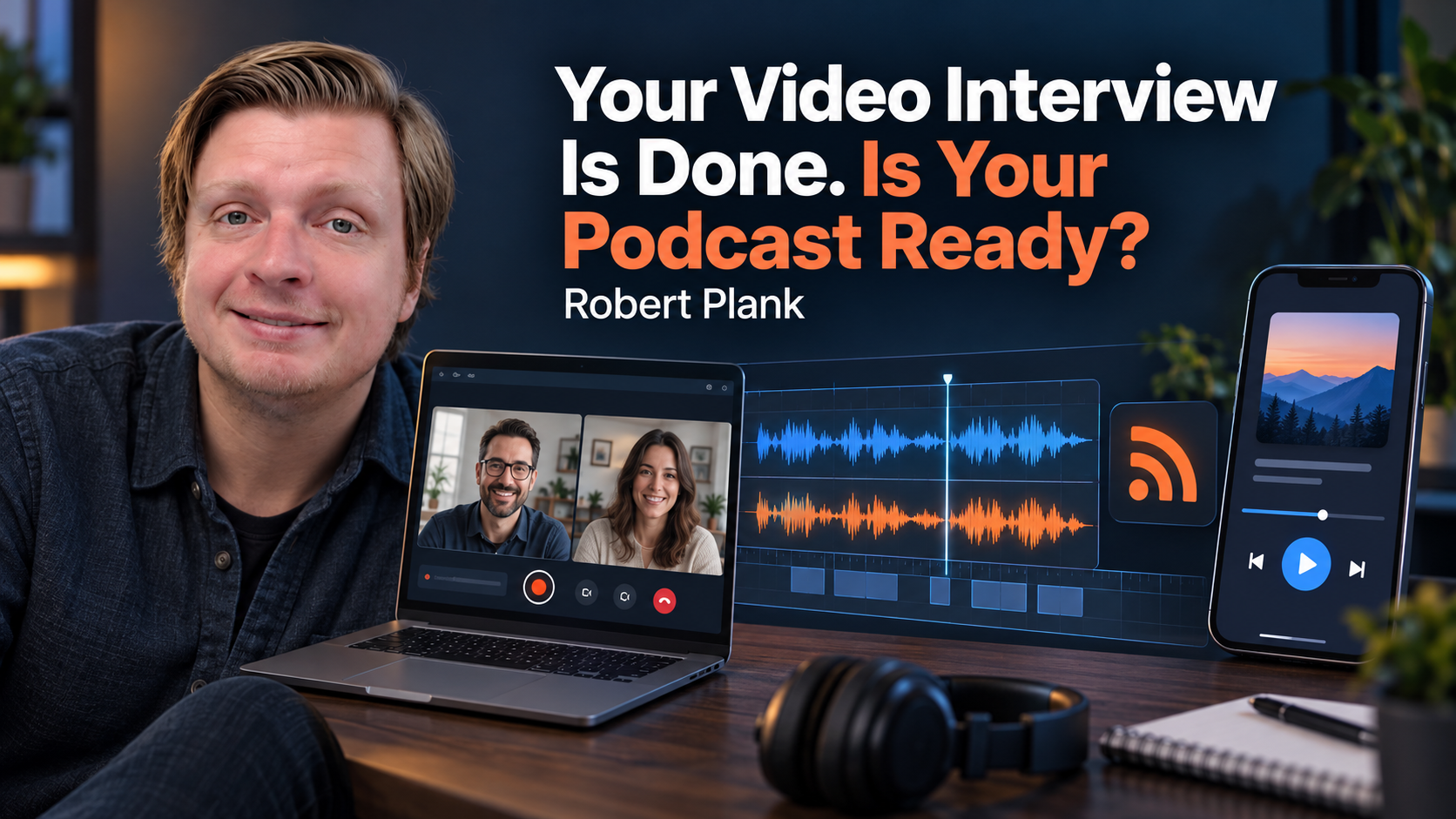
How to Turn a Video Interview Into an Audio Podcast
You can use the conversation you have already recorded for people who prefer listening. Before publishing the audio, make sure it works without the picture and that the production team has complete files and clear instructions.
Video-to-Audio Readiness Checklist
- Keep the complete original recording and any individual speaker tracks.
- Flag charts, demonstrations, or phrases such as “over here” that depend on seeing the video.
- Add a short recorded clarification or a useful episode-page link when listeners need more context.
- Clean up distractions while preserving natural speech and the guest's intended meaning.
- Balance both voices and review transitions, background noise, and the final audio.
- Hand over the guest details, editing notes, resource links, and approval instructions to your production team.
Your Video Interview Is Finished. Now What?
You finish a video interview, upload it to YouTube, and move on to your next appointment. The conversation went well. Your guest shared a few stories, answered questions you know your customers have, and gave advice worth hearing. You're happy with the recording, but there's somebody who could benefit from it who's probably never going to sit down and watch a 35-minute video.
Maybe they're driving to work, walking the dog, or getting through a pile of dishes. They already listen to podcasts, and your conversation would fit right into their day. If you've been wondering how to turn a video interview into an audio podcast, you might be closer than you think. You have the conversation. Now you need a reliable way to turn that recording into something people can find, follow, and comfortably listen to.
I've talked about this in my own video on recording interviews and producing podcasts. One approach I use is to record a conversation on video, extract the audio, and prepare it for podcast distribution. You can record one conversation for people who watch and people who listen, without asking your guest to show up twice or trying to recreate the same interview in a different format.
Of course, pulling the sound out of an MP4 file doesn't necessarily mean you've finished an audio podcast.
Video viewers and podcast listeners have different experiences. Somebody watching YouTube can see the chart your guest is pointing at, recognize who's speaking, or understand why everyone suddenly starts laughing. Somebody listening in the car has only the audio. A conversation that works perfectly well on video might need a sentence of clarification or a small editorial adjustment before it makes sense without the picture.
Then there's the sound itself. Your microphone might be louder than your guest's. Somebody might have a noisy connection, or there could be an awkward interruption that was easy to overlook during the original recording. These aren't necessarily reasons to throw away an otherwise good interview. They're things to identify and address while preparing the audio version.
After that comes the podcast-specific work: adding the appropriate introduction and ending, finishing the audio, preparing the episode information, publishing through a podcast host, and checking whether the episode actually appears and plays correctly on the listening platforms you've connected.
My preference is to keep that production work separate from the interview itself. I want the business owner to concentrate on asking good questions, listening to the answers, and having a worthwhile conversation. The editing, publishing, and back-end details can follow a repeatable process handled by a production team.
That process begins with something fairly simple: knowing exactly which recording you're working with.
Start With a Recording You Can Actually Use
Before anybody starts editing your podcast, make sure the complete recording is available.
Imagine finishing a 40-minute interview, downloading the first video file you see, and sending it to your editor. The file opens, the picture looks fine, and the conversation plays. Then, halfway through editing, somebody notices that your guest's audio drops out for 15 seconds.
In this hypothetical situation, the recording service was still processing a separate audio track when you downloaded everything. The editor now has to stop, ask you to check your recording account, retrieve another file, and possibly redo work that was already finished.
That's an avoidable headache, especially when you're producing interviews regularly.
I prefer starting with the complete original recording, including any separate speaker tracks the recording service provides. Keep a copy of the original, too. If an edit goes wrong or somebody later questions whether a sentence was taken out of context, you want to be able to return to what was actually said.
One reason I like recording services such as Riverside is the ability to work with individual audio and video tracks. In my Riverside recording tutorial, I demonstrate how participants can be recorded separately rather than having every voice permanently combined into one file.
Think about what happens when your microphone sounds great, but your guest is quieter or has some background noise. With separate tracks, an editor can work on the guest's audio without applying the same changes to yours. They can adjust levels, reduce certain noises, and make more precise edits.
That's particularly useful when one person is recording in a quiet office with a good microphone and the other is using a laptop in a less controlled environment.
You can still produce a podcast from a single combined recording. I've never believed you should make the process unnecessarily complicated just to get started. Separate tracks are helpful, but they aren't a requirement for every interview. If the conversation is understandable and the recording is usable, there's usually a reasonable place to begin.
The other part of the handoff involves information about the conversation itself.
Suppose your guest mentions a price that has changed, accidentally shares something confidential, or asks afterward to correct a statement. You don't want your editor guessing which passage matters. A note like "At 18:42, remove the discussion about the unreleased product" is much more useful than "Can you clean up the middle part?"
The same applies when a recording has a missing section, a microphone problem, or an answer you want reviewed before publication. Give your production team specific instructions, preferably with timestamps, and identify anything that needs your approval.
For a typical interview, the handoff doesn't need to be elaborate. The complete recording, the guest's correct name, relevant notes, and a clear understanding of who approves the finished episode will get you a long way.
I also wouldn't spend hours listening to every second of a recording just to invent editing notes. If the interview went well and there are no known problems, you can tell the team that. The editor should still review the material and flag anything unusual.
A good editor can make decisions about cutting awkward pauses or cleaning up an interruption. They shouldn't have to guess whether you intended to publish confidential information or whether your guest gave the correct price for a service.
Having those decisions settled at the beginning also means you can preserve the original conversation while preparing a separate version for audio listeners. That's especially important when the video includes something the listener can't see.
Make the Conversation Work Without the Picture
Imagine you're interviewing a contractor who pulls up a drawing and says, "See how the water runs down this side?" You both understand what he's talking about. Maybe you spend the next five minutes discussing the problem, and the video makes perfect sense because viewers can see the drawing.
Now imagine somebody listening to that same conversation while driving. They hear you talking about "this side" and "that area over there," but they have no idea what either of you is pointing at.
That's something I want an editor to watch for when converting video interviews into audio podcasts. The conversation needs to make sense without the picture. That doesn't mean describing every facial expression, gesture, or object in the room. Most interviews work well as audio because the interesting part is what people are saying. It's the occasional visual reference that needs attention.
Let's say a roofer interviews a landscaper about drainage problems around a house. The landscaper shows a drawing and explains where water collects after a heavy rain. The advice is useful, but part of the explanation depends on seeing the drawing.
The editor could flag that section and ask the host to record a short clarification: "For anyone listening, we're talking about rainwater coming off the roof, collecting beside the foundation, and needing a path away from the house."
That single sentence might be all the listener needs. If the drawing contains details that can't reasonably be explained in audio, the host could direct listeners to the episode page, where they can see the original video or a relevant illustration.
The drainage example is hypothetical, but it demonstrates the kind of editorial decision worth making. You want to preserve the useful conversation while making sure the listener isn't missing something essential.
Of course, sometimes a video contains a brief visual moment that doesn't affect the information being discussed. Maybe the guest holds up a coffee mug, waves at somebody, or smiles when you make a joke. There's no reason to interrupt the entire interview to explain every movement. If the conversation makes sense without it, leave it alone.
The same judgment applies when cleaning up the actual speech.
I generally want to remove unnecessary setup chatter, repeated false starts, awkward interruptions, and unusually long gaps that slow down an episode. If you spent three minutes figuring out whether your guest could hear you before the interview started, your audience probably doesn't need those three minutes.
But I don't believe in removing every "um," "uh," breath, or pause just because editing software identifies it.
Some hesitations are distracting. Others are simply part of how somebody thinks and speaks. A guest might pause before answering a difficult question or laugh before telling a story. Those moments can help the listener understand the person's meaning and personality. Remove too much, and the speaker can start sounding like a collection of disconnected sentences.
There's also a difference between somebody searching for a word and somebody repeating the same false start six times. The second problem might be worth cleaning up. The first might be exactly how that person naturally talks.
I want the conversation to be easier to follow without making the speakers sound like different people.
Automated editing tools can help identify silences, repeated phrases, and filler words, but I'd be careful about accepting every suggested cut without checking what happened.
Suppose a guest says, "I wouldn't recommend doing this unless you've already tested the system." If an automated edit accidentally removes "wouldn't" or cuts away the condition at the end, the meaning changes completely.
A similar problem can happen with prices, dates, names, or advice that depends on a specific situation. A guest saying something worked under certain circumstances isn't necessarily recommending that everybody do it.
That's why I want questionable edits checked against the original recording. A clean-sounding sentence isn't necessarily an accurate sentence.
Good audio editing preserves the guest's advice, including the limitations and conditions that make it useful. You can remove distractions without removing personality or changing the meaning.
Once the conversation works for somebody who can't see it, the remaining audio work is about making both speakers comfortable to hear together.
Make the Audio Comfortable to Hear
You start listening to an interview, and the host sounds great. Then the guest answers the first question, and suddenly you can barely hear them. You turn up the volume, the host asks another question, and now the host is blasting through your speakers.
After a few rounds of that, you might give up and listen to something else. The conversation could be excellent, but the audio is making it harder to enjoy.
Editing the conversation and finishing the sound are two different jobs. One deals with what people say and how the discussion flows. The other deals with how everything sounds when somebody presses play.
When we're preparing an audio podcast, I want the speakers to sound reasonably consistent, even if they recorded from different locations using different microphones. That usually involves balancing their levels so neither person is noticeably louder than the other.
Background noise is another consideration. Maybe your guest has a fan running, somebody closes a door, or there's a faint hum throughout the recording. Some of that can be reduced during production, particularly when you have separate speaker tracks.
But there's a limit to how aggressively I'd clean things up. I've heard recordings where somebody tried so hard to eliminate every bit of background noise that the speaker's voice started sounding artificial. Parts of words disappear, or the audio gets that strange, watery quality you sometimes hear with excessive noise reduction.
I'd rather have a little harmless room noise than damage somebody's voice trying to make the recording perfectly silent.
The editor should also check for distortion, abrupt fades, sudden changes in volume, and awkward transitions. If a serious microphone problem can't be repaired without affecting the conversation, I'd rather know about it before the episode gets published.
Sometimes the best repair is reducing a distracting sound. Other times, a host can record a short replacement line or clarification. Occasionally, a section really is too damaged to use, and that needs to be discussed rather than disguised with processing.
Once the conversation sounds right, there's the matter of packaging it as an actual episode.
I generally like a short, recognizable introduction that tells the listener what show they're hearing, who's hosting, and what the episode is about. You don't need a two-minute commercial before every interview. A brief branded opening followed by a useful introduction to the guest or topic is usually enough.
You can reuse certain elements, such as an opening theme or a consistent show introduction. Just make sure they fit the episode and transition naturally into the conversation. If the recording begins with the guest halfway through an answer, somebody needs to check whether that transition makes sense.
Music can help identify the show and make the opening feel consistent. It needs to be music you have permission to use, and it shouldn't compete with the person speaking. The same principle applies at the end of the episode.
For the closing, I prefer giving people one useful next step. That might be visiting the episode page, checking out a resource the guest mentioned, following the show, or contacting you about a service. Trying to squeeze five different calls to action into the last 30 seconds usually makes the ending more complicated than it needs to be.
If you're sending listeners to a website, choose an address that's easy to say and remember. A complicated URL filled with random characters might work as a link in your show notes, but it's not particularly helpful when somebody hears it while driving.
The finished recording also needs to be exported in a format supported by your podcast host and the listening platforms you're targeting. Services such as Apple Podcasts publish official audio requirements, including guidance about file formats and audio levels.
Those technical specifications belong in your production checklist. You don't need to memorize loudness measurements, bit rates, and encoding settings to host a good interview. Somebody responsible for the audio export should understand them and follow the applicable requirements.
What matters to you is checking the finished result.
I like listening to the opening, a few places throughout the conversation, the transitions, and the ending. Headphones can reveal problems that aren't obvious through speakers, while a phone speaker provides another useful listening test.
Pay particular attention to the transition between any prerecorded introduction and the original conversation. A professionally recorded intro can sound much louder, cleaner, or closer than a remote interview. The difference shouldn't be so dramatic that the listener has to adjust the volume when the guest starts talking.
You also want to catch accidental silence, missing words at edit points, or an ending that cuts off too quickly.
At the end of this process, you should have an approved audio master that sounds consistent, preserves the conversation, and is ready to publish. Keep that file as the final production version rather than making everyone guess which of several similarly named exports is the correct one.
Publish the Episode and Check Where It Appears
You upload your finished audio file, fill out the episode title and description, and click Publish. Everything looks successful. Then you open Apple Podcasts, search for your show, and the new episode isn't there.
Did something go wrong? Maybe, but not necessarily. Publishing an episode and having it appear in every podcast app are separate parts of the process.
The first thing you need is a podcast hosting service. This is where your finished audio files live and where you manage information about your show and episodes. Your website might have a page for each interview, but your podcast host handles the underlying audio distribution.
The connection between your host and podcast apps is something called an RSS feed. Think of it as a continually updated record of your podcast. It contains information such as your show's name, episode titles, descriptions, artwork, publication dates, and the location of each audio file.
When a listening platform is connected to that feed, it can recognize new episodes as you publish them. You generally don't need to upload the same audio file separately to five different podcast apps every week.
There's an important distinction between connecting your show for the first time and publishing your next episode.
When you're starting a podcast, you may need to submit or claim the show through individual platforms. Apple provides guidance on podcast hosting solutions, including hosting providers that support RSS feeds and show submission. Spotify explains how to distribute a show to other listening platforms.
The exact process depends on your hosting service and the destination platform. Some connections may be handled through your host, while others require a separate submission or account verification.
Once those initial connections are established, future episodes generally reach the connected platforms through the feed.
For the broader release process, our guide explains how to publish an audio podcast through a host and verify the episode in the listening apps.
That doesn't mean every platform updates at the same moment. There can be processing delays, approval requirements, and differences in how quickly apps refresh their listings. I wouldn't promise somebody that an episode will appear everywhere the instant they press Publish.
Before publishing, there's also the information that goes with the audio.
Give the episode a clear title, an accurate description, and the correct guest name. Check the show artwork, language, and content settings. If you mention a website, book, or resource during the conversation, make sure the relevant links are included where listeners can find them.
I wouldn't copy the same generic promotional paragraph into every episode description. Somebody browsing a podcast app should be able to tell what this particular conversation covers and why they might want to listen.
For example, if you interviewed somebody about fixing common drainage problems around a home, the episode title and description should make that subject recognizable. A vague title like "Another Great Conversation With Our Special Guest" doesn't give a prospective listener much to work with.
The description should also match what was actually discussed. You don't want to promise a detailed tutorial when the conversation was really about business decisions or personal experience.
There's also the question of who owns and manages the publishing accounts.
If you're working with a production team, you should know which account holds your podcast, who has permission to publish episodes, and who is responsible for correcting mistakes. You don't want to discover six months later that nobody knows how to access the hosting account.
I'd rather have the account ownership and publishing responsibilities settled when the show is established. The production team can still handle the technical work without leaving the business owner uncertain about who controls the show.
After the episode goes live, somebody needs to check it.
Open the listing on the platforms included in your publishing workflow. Confirm the correct episode appears, the title looks right, the audio actually plays, and the links work. Keep a record of the published URLs so you can share them and troubleshoot problems later.
This is particularly important for a new show. A hosting service might indicate that your feed is working, but that alone doesn't establish that every podcast directory has accepted or listed the show.
If Apple Podcasts is included in your publishing workflow, check the listing there. Do the same for Spotify and any other agreed destinations. When a particular platform hasn't processed the episode yet, record that status and follow up instead of assuming everything is finished.
Suppose you discover that a guest's name is misspelled or a section of audio needs replacing. Make the correction through your podcast host's supported process, keeping the existing episode identity when appropriate. Then check that the updated information reaches the feed and the relevant listening platforms.
Deleting an episode and starting over shouldn't be your automatic response to every correction. Depending on the host and listening platform, the correction might take time to appear, and different types of changes may require different handling.
I don't consider the job finished merely because the upload screen says "Published." The finished deliverable is an episode your audience can find and hear through the destinations included in your production workflow.
Make the Next Episode Easier to Produce
You've finished another interview, and the recording is ready. Now what happens to it? Do you email somebody the video file, send a Google Drive link, or upload everything into a folder and hope the right person notices?
I've seen how quickly podcast production can turn into a collection of little decisions. Who has the recording? Did the guest send their biography? Are we supposed to remove that story near the end? Who writes the episode description? Has anybody checked whether the audio is actually playing on Spotify?
When you're producing one interview, you can probably keep most of that information in your head. When you're recording every week, those little questions start eating up time that could be spent preparing for your next conversation.
That's why I prefer having a repeatable production handoff. You finish the recording, send the necessary materials, and the team knows what to do next.
The basic package is straightforward. Your editor needs the complete recording, any individual speaker tracks that are available, the guest's correct name and relevant details, and any notes about sections that need attention.
If you mentioned a book, website, or resource during the interview, include the correct links. If you want a specific introduction recorded or a particular closing message added, provide that information too.
You should also know when you're expected to review the episode.
Some hosts want to approve every finished audio file before publication. Others establish editing guidelines and let their team handle routine releases, bringing back only unusual questions or corrections.
Either approach can work, provided everybody knows who has final approval.
I like keeping the responsibilities clear. Somebody handles the conversation edit. Somebody makes sure the audio sounds right. Somebody prepares the episode title, description, and other publishing information. Somebody publishes the approved file and checks the release.
One person might perform several of those jobs, but none of them should depend on everybody assuming somebody else took care of it.
It also helps to maintain one approved audio master and a record of the final episode links. That way, if you need to promote an interview six months later, you aren't hunting through old messages to figure out which version was published or where listeners can find it.
The workflow should improve as you use it.
If your editor repeatedly has to ask for missing guest names, make that part of the recording handoff. If one microphone keeps causing problems, address it before the next interview. If episode descriptions require several rounds of corrections, agree on the information and format the team needs.
Your production process should eliminate repeated decisions while leaving room for editorial judgment.
Every conversation is different. One guest might need a clarification added because they referred to something on screen. Another might have a perfectly clean recording that needs very little editing. A good production process accommodates both without making the host manage every small detail.
This is how I think about the division of work at DFY Podcast. My team handles the production side, including audio editing, sound finishing, publishing, and the other tasks involved in preparing episodes for listeners.
I don't want a business owner spending the afternoon adjusting volume levels, figuring out RSS feeds, or checking whether the latest episode appeared in Apple Podcasts. Those jobs matter, but they're not necessarily the best use of the host's time.
Your job during the interview is to ask useful questions, listen carefully, follow up when something interesting comes up, and give your guest room to explain what they know.
Once the recording ends, an established team can take over the technical and publishing responsibilities.
That doesn't mean you never make another decision about your podcast. You'll still have opinions about what should stay in an episode, how you want the show presented, and what you want listeners to do next. Those are decisions worth keeping.
The routine work can follow a process you've already agreed on.
When you finish your next interview, you know where the files go, who's handling them, and how you'll know the episode is available. You can concentrate on preparing for your next guest instead of wondering whether the last recording ever made it into a podcast app.
Your Next Recording Already Has a Destination
Think about that person driving to work who would enjoy your interview but isn't going to watch a 35-minute YouTube video. They don't particularly care which recording software you used, how many audio tracks you downloaded, or which service hosts your podcast.
They want to find a conversation worth hearing, press play, and listen without having to fiddle with the volume or wonder what somebody is pointing at.
You've already done the work of finding somebody interesting, preparing your questions, and having a worthwhile conversation. There's a good reason to make that recording available to people who prefer listening.
You don't need to record a second interview for them or become a full-time audio engineer. You need a dependable way to prepare the audio and get it where listeners can find it.
For your next interview, I'd suggest starting with the recording you already have. Pick one that went reasonably well. Make sure you have the complete file, note anything you want corrected, and decide which podcast platforms you want your show to appear on.
That's enough to begin a useful conversation about production.
If you're wondering which parts of that process you should handle yourself, take a look at DFY Podcast's production services. Bring a sample recording and tell us how you're currently handling your interviews. We can discuss what needs to happen with the audio editing, sound finishing, episode publishing, and release checks, including anything that's already working well and doesn't need to change.
My preference is to establish the production routine before you're juggling another recording, another guest, and another release date. When the next interview ends, you should know where the files go, who's handling them, and how you'll know the finished episode is available.
You handle the conversation. We'll handle getting it ready for the people who want to listen.
About Robert Plank
Robert Plank is a podcaster, author, entrepreneur, and podcast producer who helps business owners turn recorded conversations into published content. He hosts Marketer of the Day and works with the DFY Podcast team on editing, audio finishing, publishing, and repeatable production workflows. Contact Robert and the DFY Podcast team to discuss your podcast.
Resources
- DFY Podcast Audio Production and Publishing Services
- Robert Plank's Video Interview and Podcast Production Walkthrough
- Robert Plank's Riverside Recording Tutorial
- Marketer of the Day on Apple Podcasts
- Apple Podcasts: Finding a Podcast Hosting Solution
- Spotify for Creators: Distributing Your Show to Other Platforms
Get Help With Podcast Production
If you have a recording and want a repeatable way to get it ready for listeners, explore DFY Podcast production services or contact the DFY Podcast team to discuss your recording, production needs, and publishing workflow.
Still planning your first show? Learn how to start a business podcast with people you already know and build a format you can keep publishing.